1. Open your profile
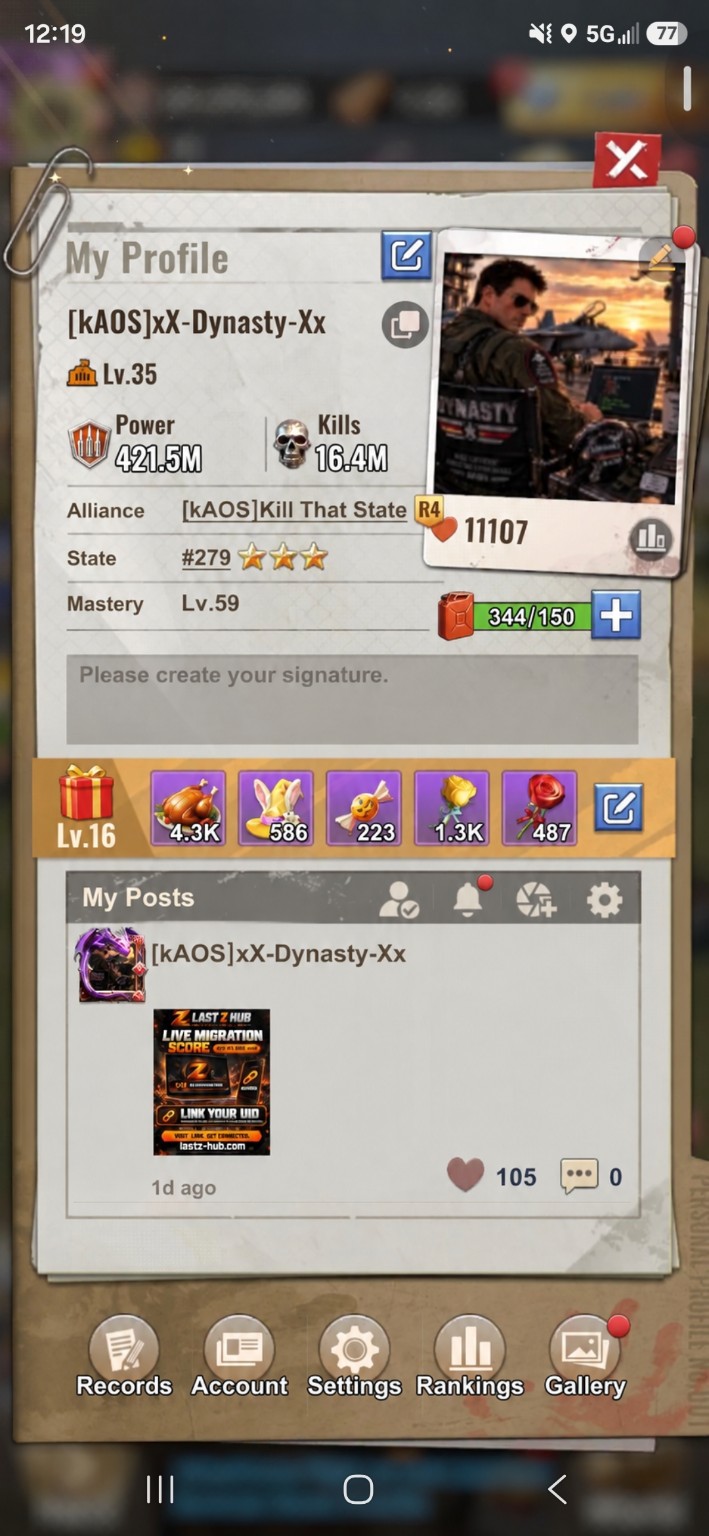
Tap your commander avatar to open My Profile, then tap Settings at the bottom.
 Enlarge screenshot ↗
Set a PIN in the game’s General settings. Follow the four steps below.
Tap your commander avatar to open My Profile, then tap Settings at the bottom.
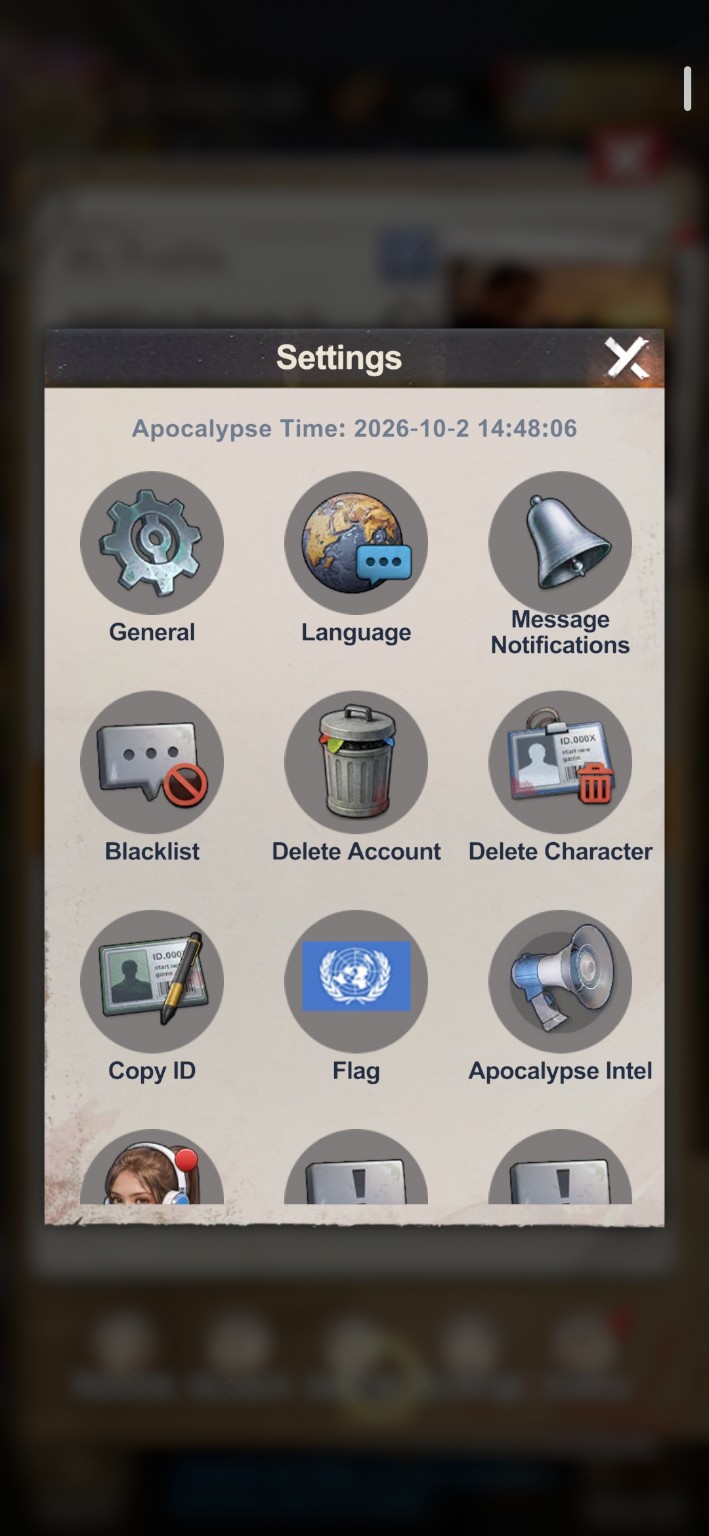
Enlarge screenshot ↗Tap General, the gear icon at the top left of the Settings menu.
 Enlarge screenshot ↗
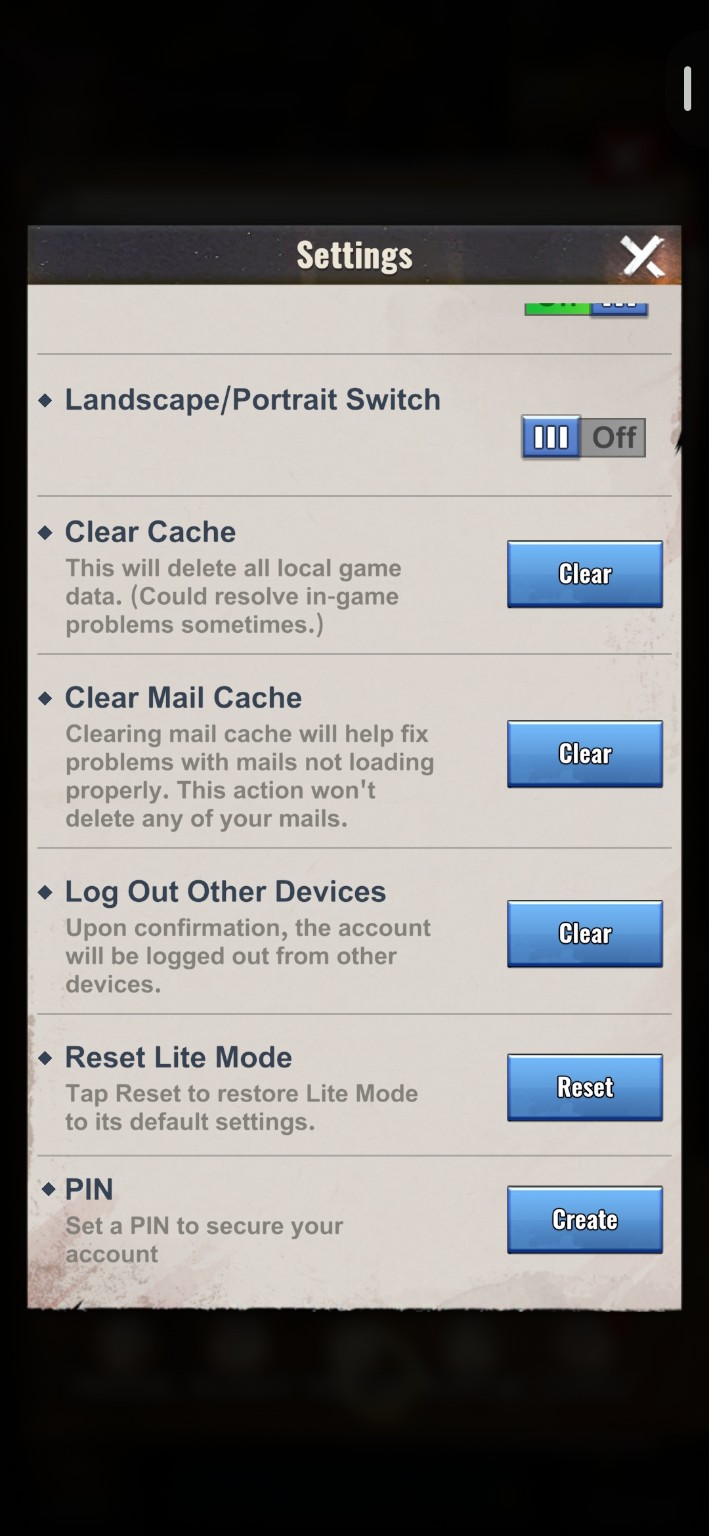
Scroll down to PIN and tap Create. Enter and confirm your PIN when prompted.
 Enlarge screenshot ↗
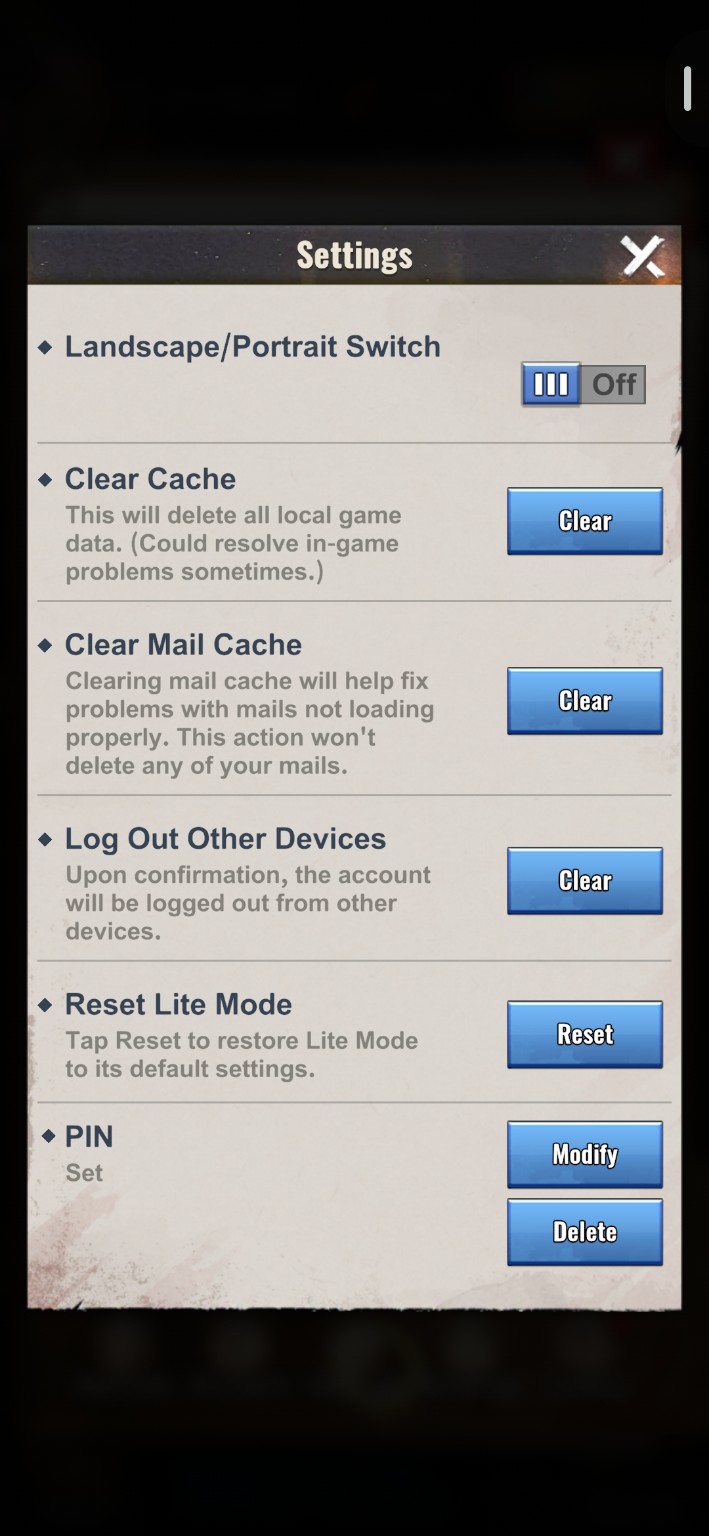
Return to the PIN section. Set means your PIN is active. You will also see Modify and Delete.
 Enlarge screenshot ↗
Do not share your PIN. Keep a copy somewhere safe.
Tap Modify to change your PIN. Tap Delete to remove it.
In General settings, find Log Out Other Devices. Tap Clear and confirm to sign out other devices.